See what a photo gives away
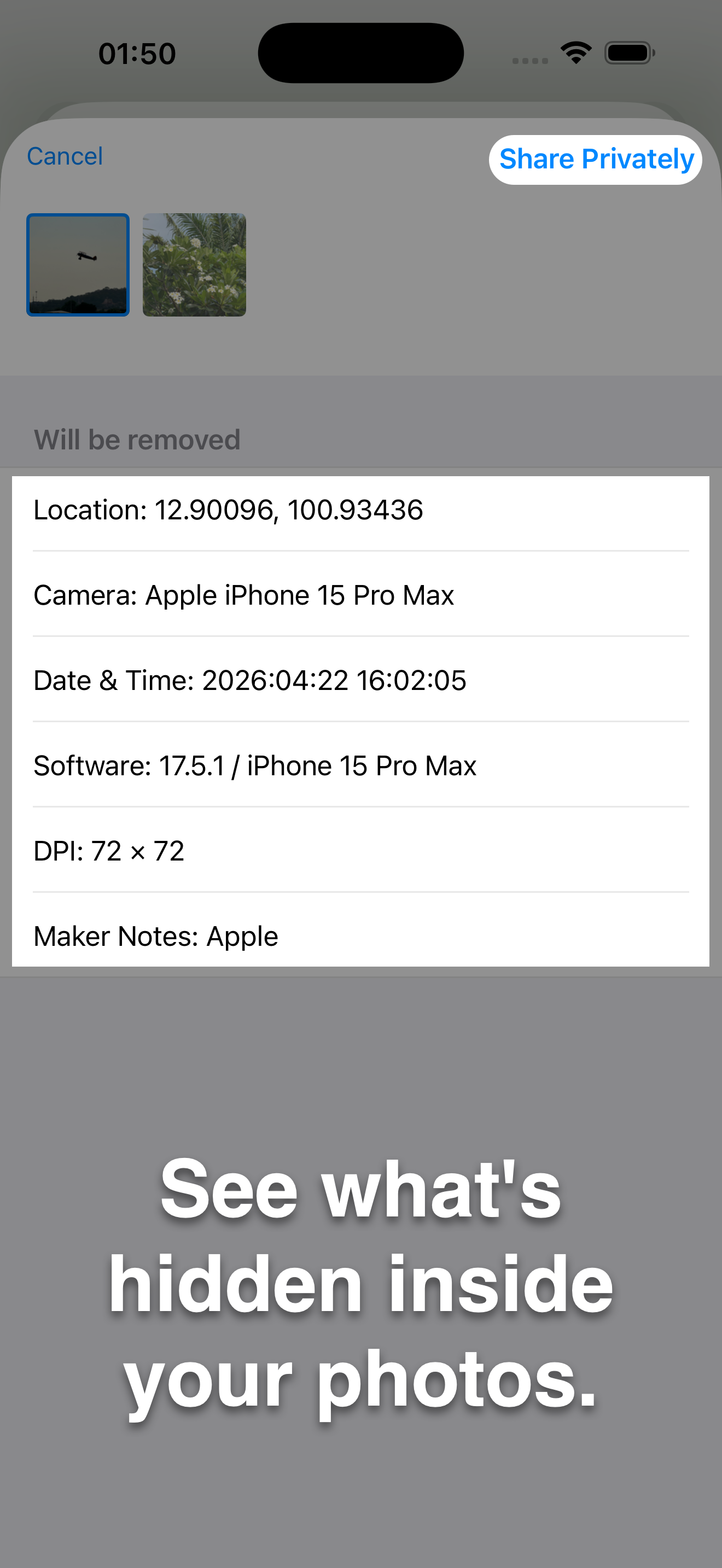
Open the metadata preview to see the photo next to everything stored in it: GPS position, dates, camera and lens, software, author.


See the GPS, camera and date details hidden in your photos, then remove them locally on your Mac.
macOS 10.12 or later
On Mac, cleaning changes the original file in place. Keep a copy if you need its metadata. One purchase covers Mac, iPhone and iPad.
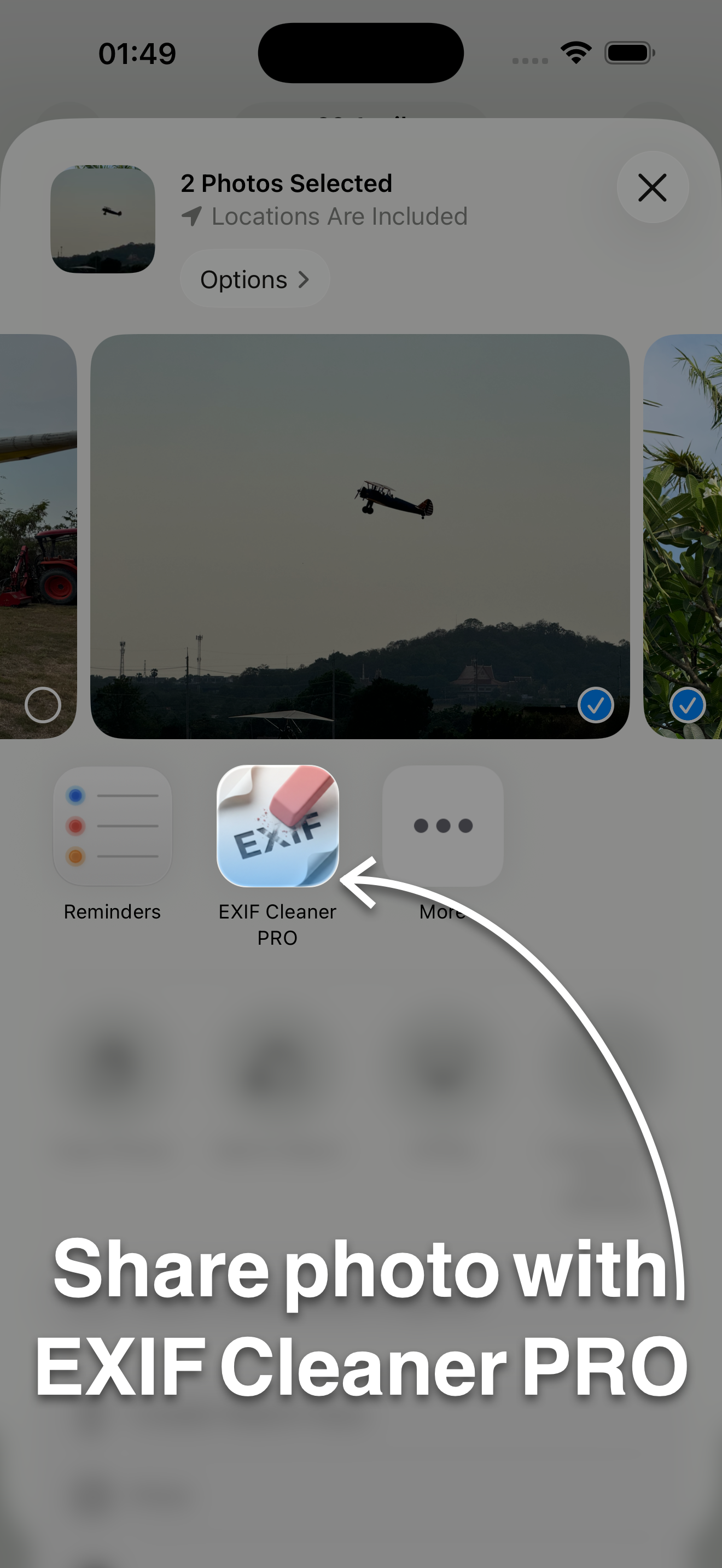
Choose photos in the Share Sheet, remove their hidden metadata, and share cleaned copies. Your photo library stays as it is.
iOS 12.0 or later · iPadOS 12.0 or later
Creates cleaned copies for sharing. Your library originals stay unchanged. One purchase covers iPhone, iPad and Mac.
Mac ·
Open the metadata preview to see the photo next to everything stored in it: GPS position, dates, camera and lens, software, author.
Drag files or folders onto the window, or click the folder button. Folders are searched for images, subfolders included.

Standard removes known private metadata and changes as little as possible. Deep Clean also clears auxiliary data. Full Rebuild writes a new file from the image pixels alone.

iPhone & iPad ·
Open the metadata preview to see the photo next to everything stored in it: GPS position, dates, camera and lens, software, author.
Share a photo as you normally would and choose EXIF Cleaner PRO on the way. Several photos at once work too.
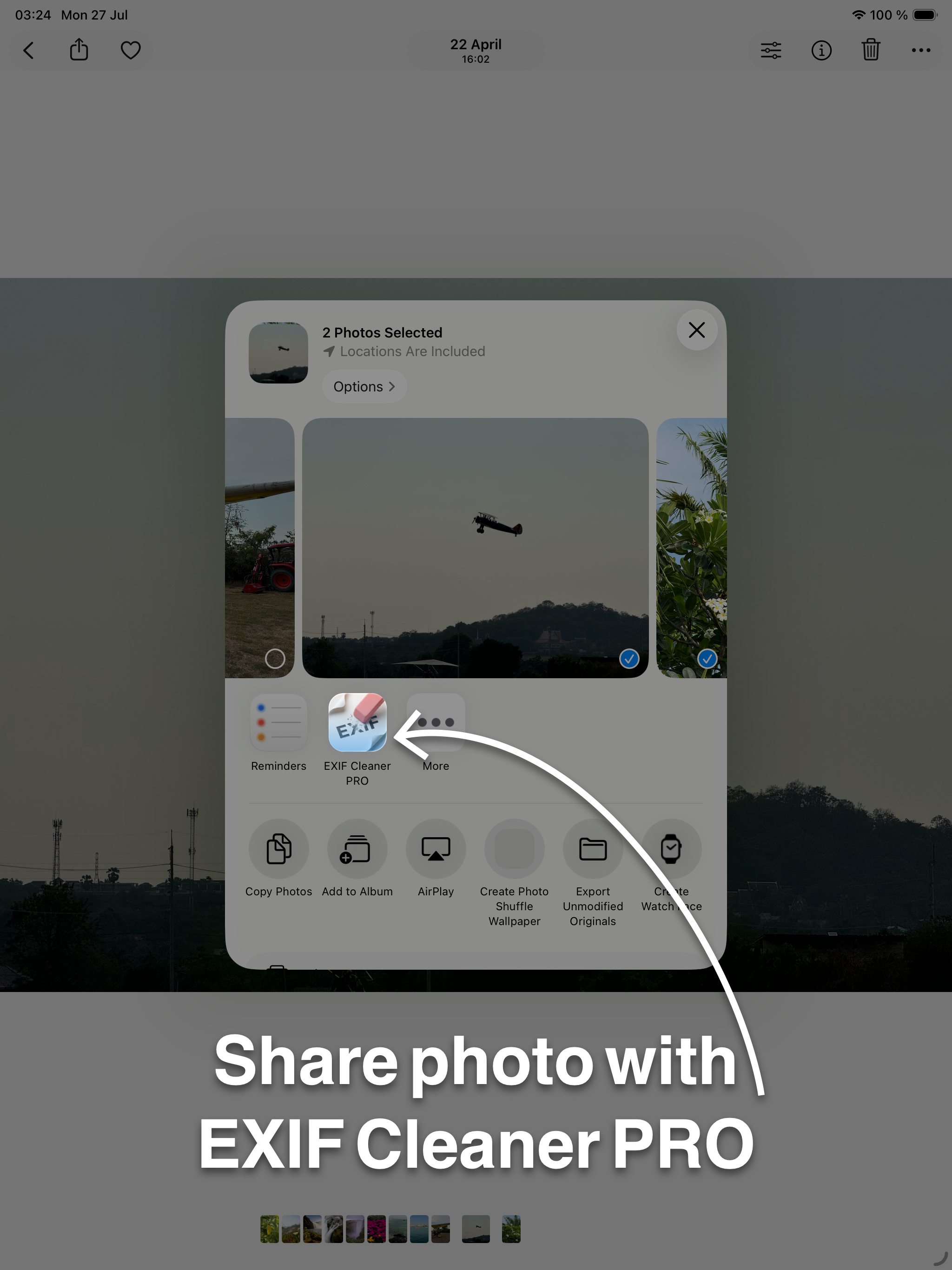
The app makes cleaned copies for sharing. The photos in your library are not changed.
EXIF Cleaner doesn't collect any data. Its App Store privacy label reads “Data Not Collected”.
On Mac, yes: a cleaned photo replaces the original in the same place, so the app asks before it overwrites (you can tell it not to ask again). Keep a copy if you'll need the original details later. On iPhone and iPad the app makes cleaned copies and leaves your library as it is.
No. One purchase covers Mac, iPhone and iPad. Install it on your other devices with the same Apple Account and it won't charge you again.
Standard is enough for location, camera and dates. Use Full Rebuild when nothing of the original file may remain: it rebuilds the image from its pixels, which re-encodes JPEG and HEIC at high quality. PNG and TIFF stay lossless.
GPS location, date and time, device and camera information, software, author and other EXIF, IPTC and XMP metadata stored in the file.
JPEG, PNG, TIFF, HEIC and HEIF. WebP isn't supported yet.
No. Cleaning happens on your device, without an internet connection.
Write to [email protected]. Include your macOS version and what you were doing when the problem appeared.
On Mac, yes: a cleaned photo replaces the original in the same place, so the app asks before it overwrites (you can tell it not to ask again). Keep a copy if you'll need the original details later. On iPhone and iPad the app makes cleaned copies and leaves your library as it is.
No. One purchase covers Mac, iPhone and iPad. Install it on your other devices with the same Apple Account and it won't charge you again.
Standard is enough for location, camera and dates. Use Full Rebuild when nothing of the original file may remain: it rebuilds the image from its pixels, which re-encodes JPEG and HEIC at high quality. PNG and TIFF stay lossless.
GPS location, date and time, device and camera information, software, author and other EXIF, IPTC and XMP metadata stored in the file.
JPEG, PNG, TIFF, HEIC and HEIF. WebP isn't supported yet.
No. Cleaning happens on your device, without an internet connection.
Write to [email protected]. Include your iOS or iPadOS version and what you were doing when the problem appeared.
Removes location and camera details from photos before you share them.

$3.99
$3.99